

Join Today, It's Free!
MEMBER BENEFITS INCLUDE:
- FREE Giveaways
- Members' Only Content
- Email Alerts for New Deals & Freebies
- Input on New Site Features
 |
| 1. Click on settings in the top right menu. 2. Click on your Account Settings in the middle of the screen. 3. Click the link for the Forum Digest. 4. Select any Forum Daily Digests you want to receive. |


Recently Active Members


Light and Dark Mode
LinkedMusicians gives you the option to view the site in either light or dark mode. Simply use the switch on the upper right side to select the mode you prefer.
Navigation Bar (far left side)
You can get everywhere you want around the site by using the site’s navigation bar (it’s always on the left side of the page, and you can size it down whenever you like). We’ll start by briefly walking you through each menu item and then break some of them out in more detail below.
Under the Community heading you’ll see a link for FORUMS. If you click on the word FORUMS you’ll be taken to the main FORUMS page that displays all of the forums and subforums. If you expand on the menu, you’ll find different ways of viewing forums, subforums and the latest threads.
OPEN MIC is our social media group. It works very much like Facebook Groups or a subreddit. OPEN MIC is our general discussion social media group for LinkedMusicians, it’s faster paced than the Forums and you can discuss anything music-related you like there.
ACTIVITY shows you the latest threads and posts on the site.
BLOG links to the LinkedMusicians Blog.
MEMBERS links to our Members Directory, where you can find our various members.
SUPPORT LM links to pages where you can contribute to the operation of LinkedMusicians.
FREE SAMPLES, LOOPS, & SOUNDS FX links to our curated lists of best free sample libraries, plugins, DAWS, etc. and our PowerSEARCH engines that enable you to find free synth presets, samples, loops, & sound effects.
KNOWLEDGE HUB –
Read Magazines and Listen to Podcasts – Feeds with the latest articles from Sound on Sound, Mix, FutureMusic, Billboard and other music-related publications for free.
QuickGuides is our series of helpful articles covering areas of music theory in plain English. They’re meant to explain things simply, without requiring you to have had any formal music training. Our first two QuickGuides cover scales and modes and understanding chords.
SONGWRITER TOOLS – A collection of useful tools to make songwriting easier, including a scale and chord finder, a rhyme generator, and a synonym finder.
DICTIONARIES – The Audio / DAW Related Terms Dictionary and the Songwriter’s Dictionary. We created these dictionaries because experienced DAW users and audio engineers often post using technical jargon and advanced concepts that may be unfamiliar to many DAW users. We wanted to have an easily available resource so that when you see unfamiliar jargon, you can quickly discover what it means.
This section will soon be updated. It reflects the site prior to some major changes.
The 5 main sections of LinkedMusicians
1. LinkedMusicians Forums
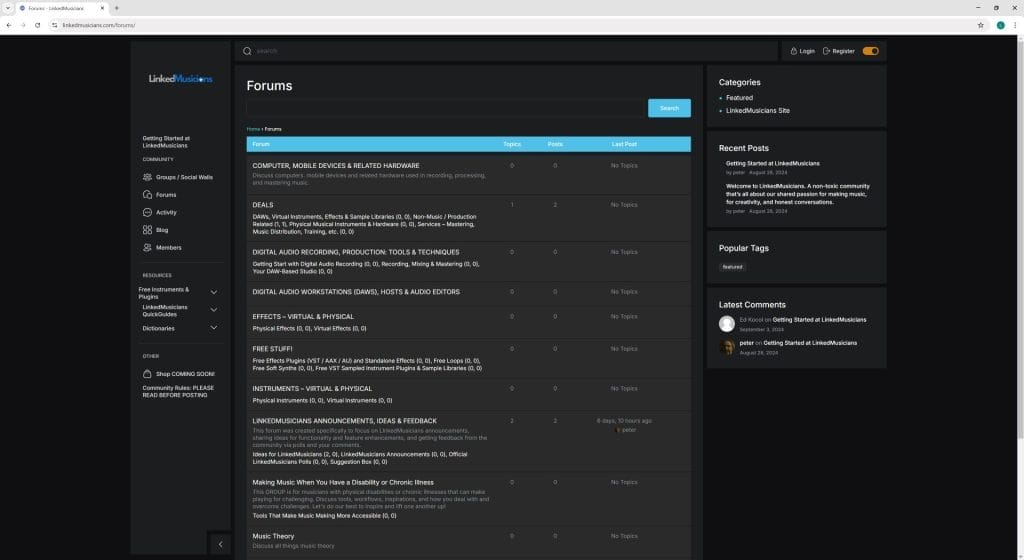
LinkedMusicians Forums are like any other online forums. Forums are great for sharing information that’s meant to be used for an extended period by the community. It’s great for structure. LinkedMusicians Forums enable you to create posts / threads / topics add a comment on threads or create a poll.
2. LinkedMusicians Open Mic (Social Wall)
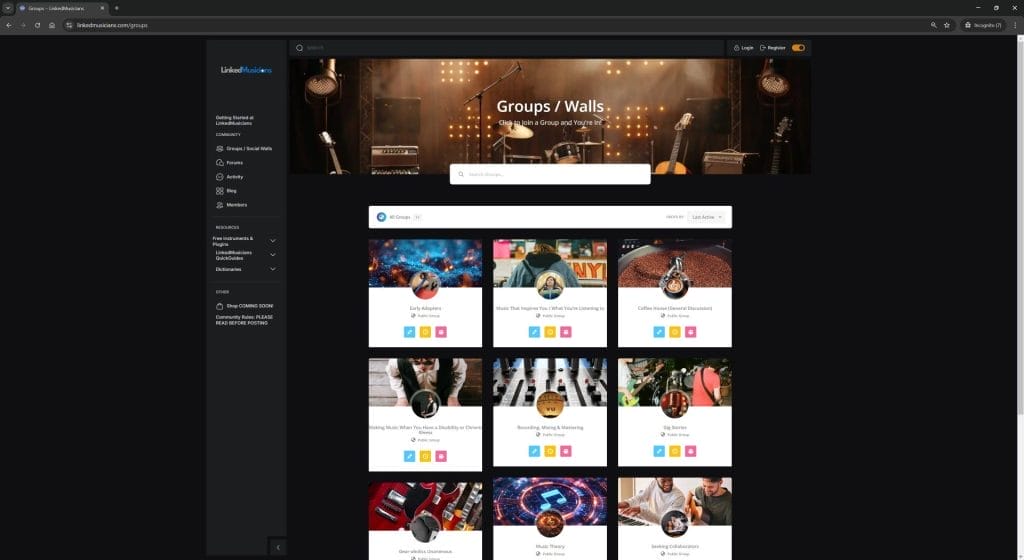
LinkedMusicians GROUPS are social media walls-based posting, primarily organized around shared interests. It’s the same general idea as social media sites like Facebook (Facebook Groups) and Reddit (subreddits). Where forums shine at providing structure, organizing information, and being great places to archive knowledge and information that the community can refer back to over and over again over time, GROUPS are better suited for conversations between people, more like real-life conversations, hence, why they’re referred to as social media and traditional forums regularly are not.
You’ll find that some of the LInkedMusicians GROUPS have a related forum. The related forum enables the GROUP to maintain important information and resources in one central place where it can be referred to again and again over time. For example, a member of the Songwriting GROUP compiles a list of great resources for songwriters, like training materials, rhyming dictionaries, etc., that they believe many others will find useful and want to reference.
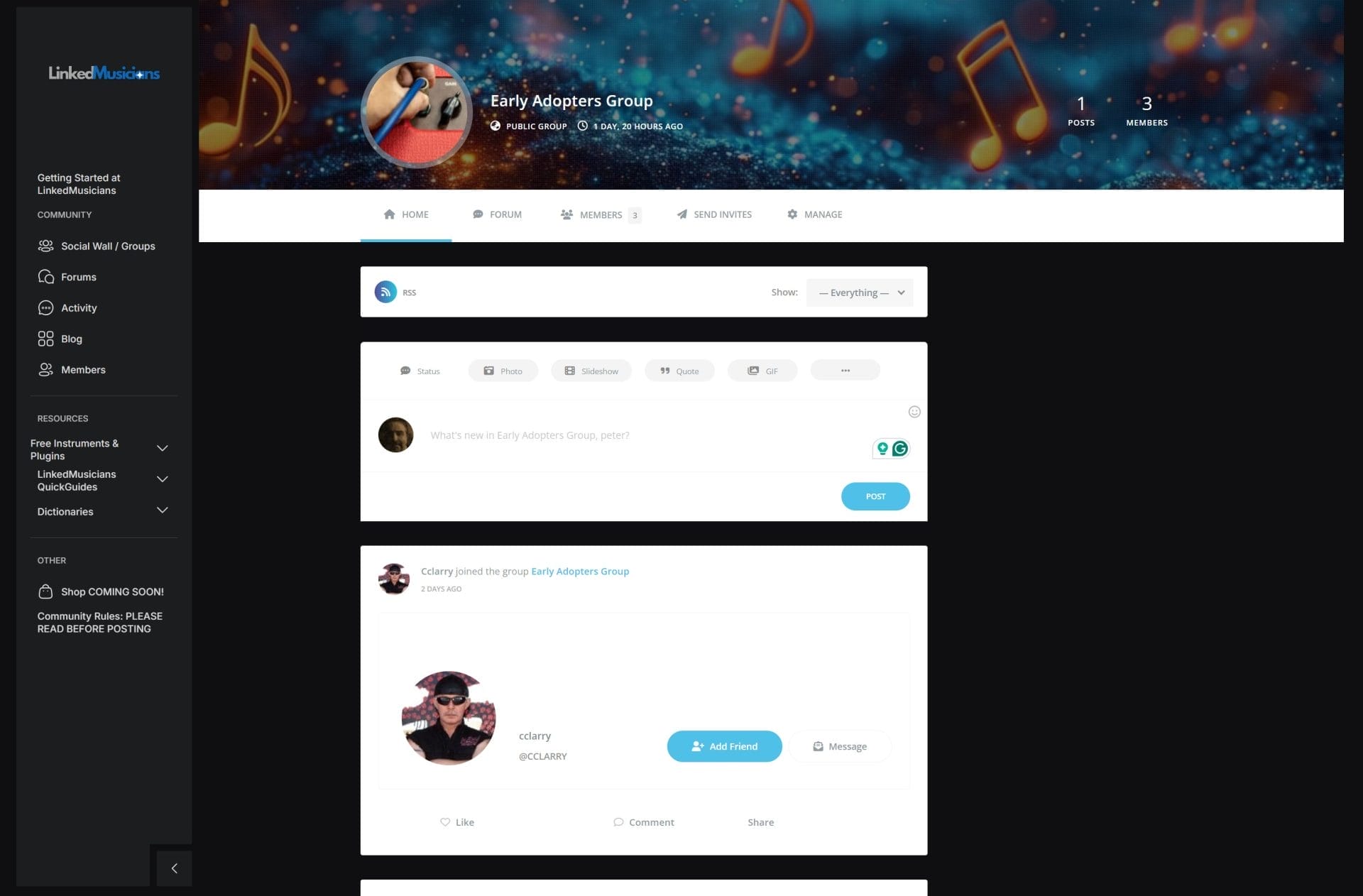
LinkedMusicians groups let you do the things the big social media sites let you do, like tag other users, make friends (the above image shows a friend request option), insert links to YouTube, SoundCloud, etc.
While most of the GROUPS are organized by shared interests, such as songwriting, one GROUP — the Coffee House GROUP — is for a general discussion related around music. When you register at LinkedMusicians, you’re automatically part of the Coffee House Group and can start posting there — so say hello and introduce yourself! You’re free to join any other GROUPS you like too. But I think of the Coffee House as our meeting place and chill.
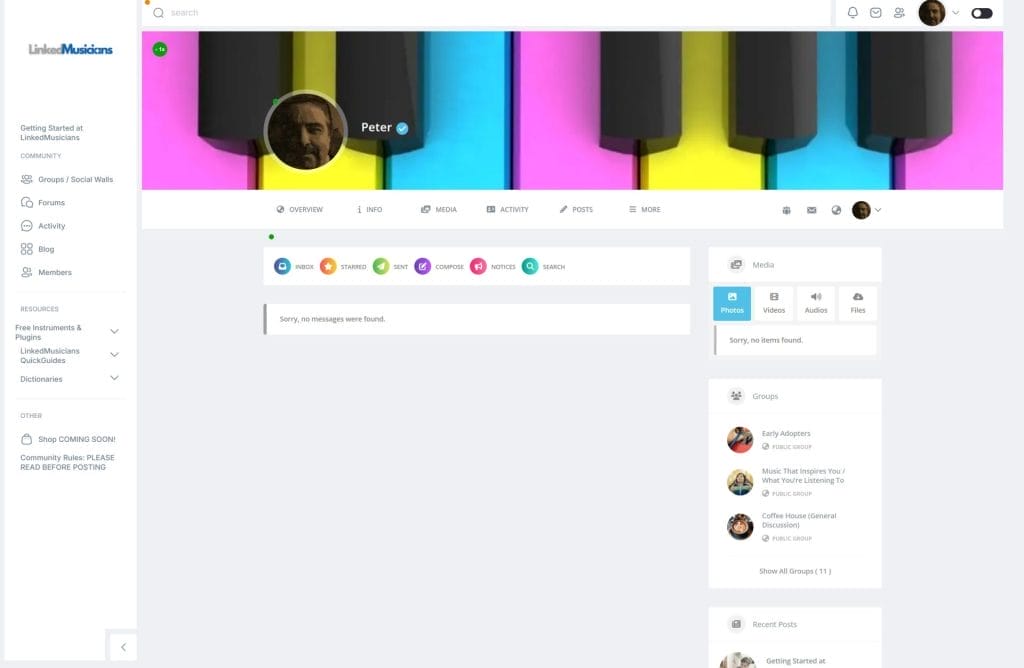
3. LinkedMusicians User Control Panel / Private Messaging
The LinkedMusicians user control panel lets you view your activity — the posts and comments you’ve made or are following in the Forums and Groups, adjust your profile photo / avatar and background photo, send and receive private messages, see activity from your friends, update your account info and more.
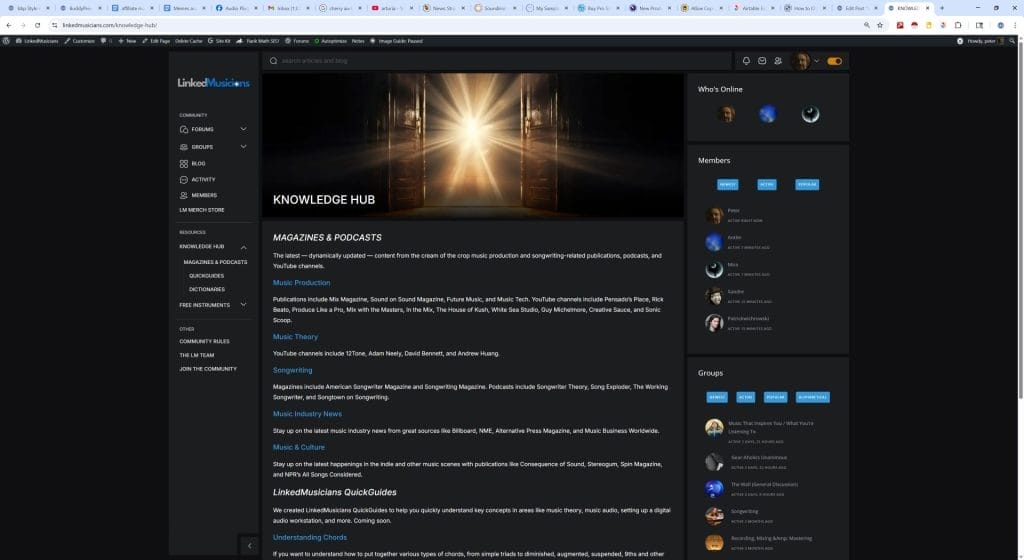
4. Knowledge Hub
Knowledge Hub contains feeds from top publications covering music production, songwriting and the music industry, like Sound on Sound, Mix Magazine, Future Music, Billboard, Music Tech and some of the best podcasts and blogs, all conveniently brought together in one place. It also contains LinkedMusicians own QuickGuides covering to topics such as music theory and MIDI, and our glossaries of music and audio production terms.
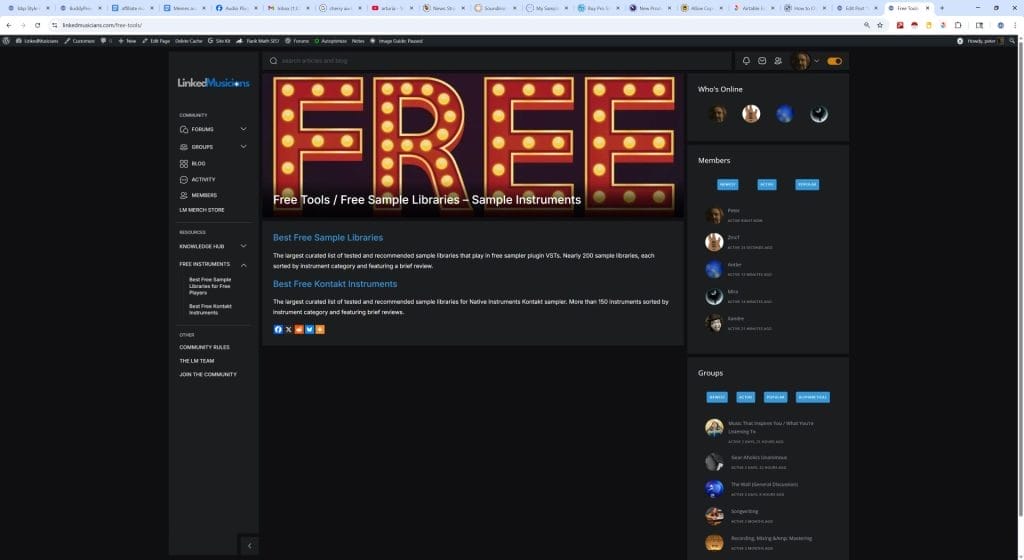
5. Curated Lists of Free Sample Libraries
LinkedMusicians maintains what appears to be the web’s largest curated list of the best free Kontakt and other sampled instrument libraries. All of them have been tested and feature a short review, and in, many cases an embedded audio demo.
Important Things To Know
Creating a Forum Signature
To create a forum signature, go to your profile and click edit.

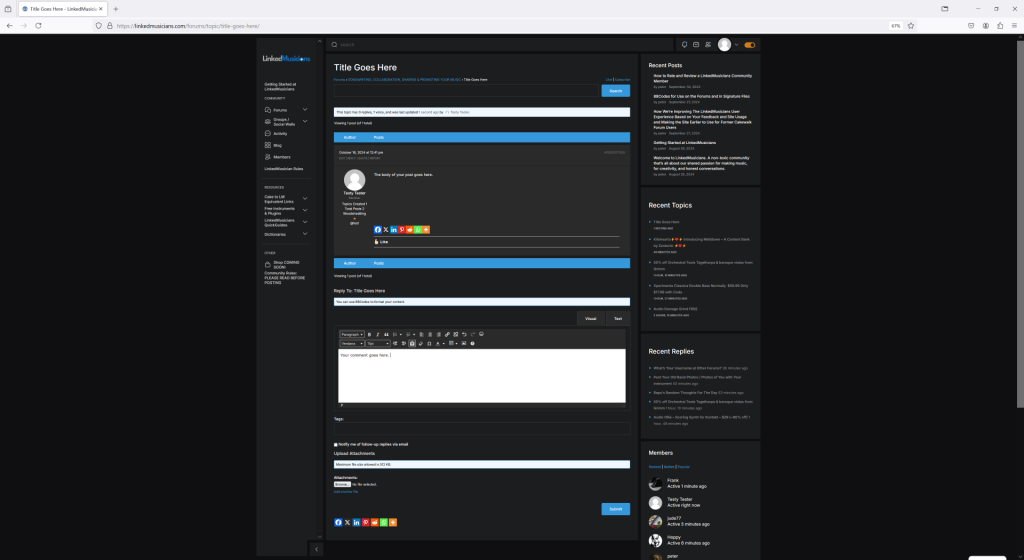
How to Comment on a Forum Topic / Thread
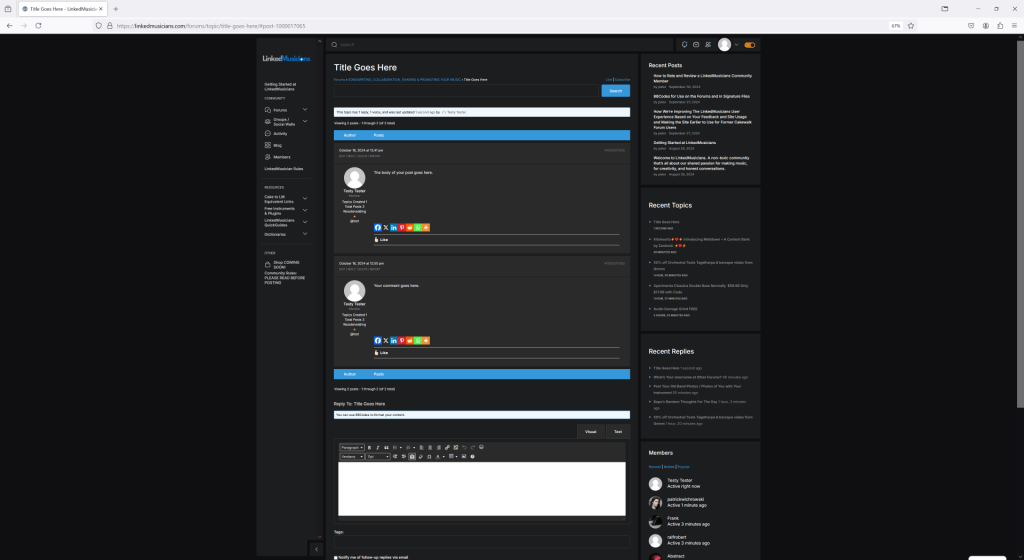
Commenting on a topic / thread is easy. Simply scroll to the bottom of the page to find the editor where you write your comment. Press submit when you’re ready to post it.
After pressing submit, your comment will appear on the page.
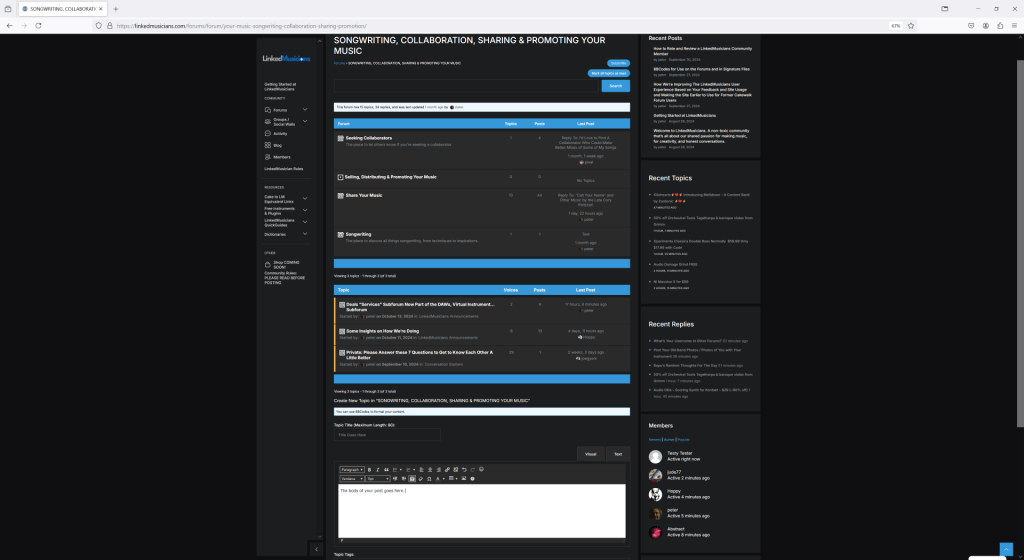
How to Create a Forum Topic / Thread
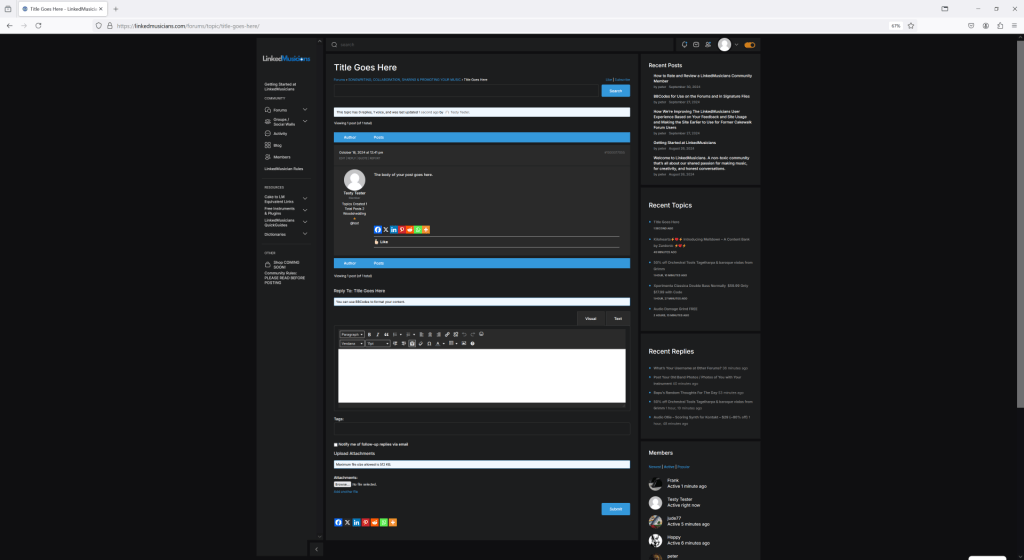
Select the forum or subforum you wish to create a new topic. Scroll to the bottom of that page and see text “Create New Topic.” Fill in the title and body text and press “Submit” when your post is ready.
That’s all. The new topic has been created.
Need an Idea for your first post? Here are Some Suggestions.
Provide a short introduction telling us a little about yourself, what you play or do related to music, your musical history, how long you’ve played or sang, how many instruments you play, if you’re a pro, semi-pro, or hobbyist, how you got started doing music and how long you’ve been doing recording or home recording, your level of experience with audio recording and engineering, your last gig, the artists that inspire you, what you hope to get out of LinkedMusicians… You get the idea!
Hope you enjoy the community!


Comments0